complicated machine: d50 controller
I designed and built a plugin for my Roland D-05 that puts every parameter on one screen and lets you save and load sounds.
Why
I was music directing a live show and needed to program sounds on a D-05. Without a PG-1000 programmer, editing a D-50 is a 2 line screen and a couple of buttons for 300+ parameters.
What
A DAW plugin with a dedicated, automatable control for every parameter, 2 macro knobs, and a librarian that reads and writes the synth's memory.
How
I set the design rules and approved every screen as a mock first. I built it with Claude to speed up the coding, and tested every build on the hardware.
Outcome
A working AU/VST3 plugin, verified on the unit, with a manual, in about 2 days of sessions.
Programming a D-50 without a programmer is painful
The Roland D-50 is one of the great 80s synths and the D-05 is the modern reissue. Both have over 300 parameters per patch and a 2 line screen to edit them with. Roland sold a separate box, the PG-1000, with a knob or slider for every parameter. They're rare and expensive now.
I was music directing a live performance and needed to program a set of sounds for it. Clicking through menus one value at a time wasn't going to work.
What I wanted was the PG-1000 inside my DAW. Every parameter on screen, every one of them automatable, and a way to keep the sounds I made.
FUNCTION, page, page, INCREMENT, INCREMENT, ENTER. One parameter at a time, from memory of where it lives in the menus.
Every parameter is a knob or switch on one screen. Turn it and the synth changes. Draw it in the DAW and it moves over time.
A web editor that covers the parameters but can't be automated, a commercial editor I didn't like the look of, and used PG-1000s for more than the synth cost.
Just a boy and his synthesizer
The hardware
A D-05 on USB into Ableton Live on my Mac. Claude can't test hardware, so I ran every test on it.
Feasibility, requirements, first UI mock, design rules agreed, macro design.
Phase 1 on hardware: SysEx proof, pull a patch, change a parameter, play notes through the plugin.
Full UI with all 311 parameters, macros, collapsing, resizing. Then the library, light mode, palette.
Library verified against the unit's bulk dump and load, a crash on close fixed, manual written.
The whole synth on one screen, plus a librarian
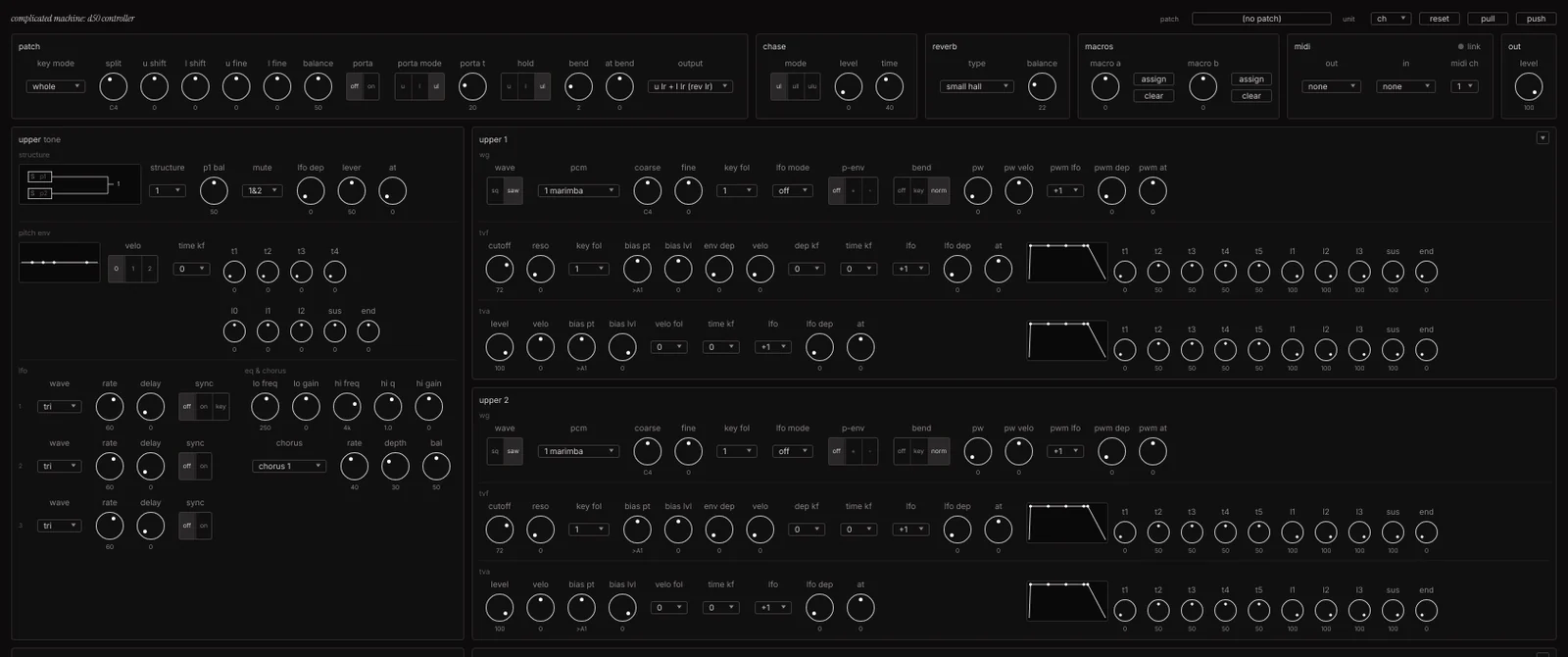
Editor
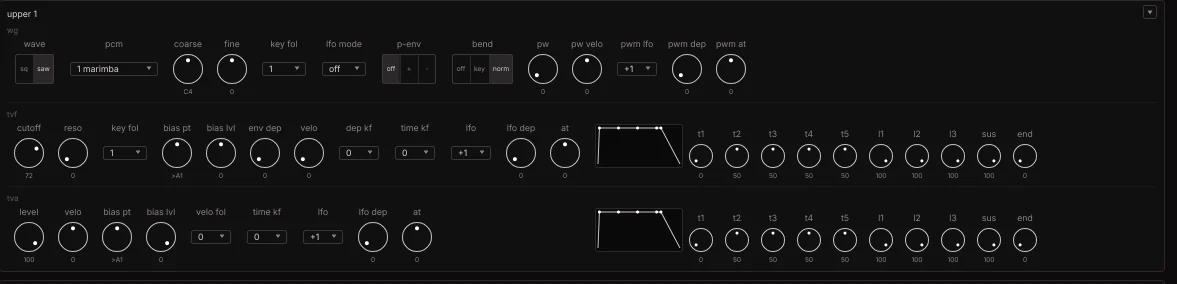
311 parameters across patch, 2 tones and 4 partials. Knobs, switches and menus per my design rules. Every change goes to the synth as you make it. Every control is an automation lane in Live or Logic.
Macros
2 knobs that move any group of parameters together, relative to where they sit. Assign by clicking knobs. One lane to automate instead of 10.
Library
Reads and writes the unit's memory over its own bulk dump protocol. Banks are plain .syx files, so any D-50 bank from the internet loads. Drag, rename, right-click.
Extras
Light and dark, a hidden palette editor, a 7 page manual, a SysEx log for support.

The loop: rules, mock, approve, build, test, log, fix
What I did
- Described the plugin I wanted in plain language, with the synth manuals attached.
- Reviewed the UI mocks and marked up what was wrong, same as a design review.
- Wrote the design rules once: grid, spacing, knob sizes, when a switch becomes a dropdown.
- Ran one terminal command to rebuild, opened Live, tested, and reported back what happened.
- Made the scope calls: what to cut, what to rename, when to stop.
What I used Claude for
- Reading the D-50 MIDI spec and Roland's D-05 docs, and finding the parts that weren't documented by testing.
- Building the parameter table, the SysEx layer, the UI, the macro system and the library.
- Rendering mocks, and screenshots of the real build for me to review.
- Adding a log of every message to and from the synth, and using it to fix the transfers.
- Drafting the manual from the finished build.
I described it, approved mocks, and tested on my own desk. The parts that needed a human were the parts that need a designer anyway: deciding what it does, how it looks, and whether it's right.
Set the rules once, then every screen followed them
Early on a build came back that didn't match the mock I approved. So I made a rule: no UI change without a mock first, and I sign off before anything gets built. After that the mocks and the builds matched.
I wrote the design rules the way I'd write them for a design system at work. 4px grid, panel padding, knob sizes, label sizes, what gets a switch and what gets a dropdown. Every panel follows those rules.
Same thing that makes our AI design system work. Define the system first, then generating to it is cheap and consistent.
Debugging on the synth
Sending a bank of 64 sounds to the unit failed twice. The synth showed a comm error and nothing else. I used Claude to add a log of every MIDI message in both directions, then ran the failing transfer once.
The log showed it in one read, and one rebuild later it worked. The same loop fixed a crash on close and the bank dump handshake. Every build still writes this log. It's the support tool for the plugin now.
The calls I made, and what they saved
Feedback, review and testing were necessary to make this a successful product. I tested every build on the synth, and when something was confusing or broken I stopped and called it out before anything else got built.
Stop and spec the library
After 2 confusing builds I said stop, asked for the questions, answered them, approved a mock, and built it once. That build hasn't changed since.
Cut write to unit
The D-05 ignores single patch writes over MIDI. Instead of a workaround, the button went away and the manual says: load it, then press WRITE on the synth.
Name things for the user
"unit" not "d-05", since a D-50 owner uses it too. "save group" not "pull bank". A snapshot is labelled with the time it was read so nobody thinks it's live.
Why review mattered
- Turn a 1987 MIDI spec into working code, including a handshake protocol it had only read about.
- Build a UI to a written set of rules and keep every panel consistent.
- Render the real build and compare it to the mock before handing it to me.
- Read a log, find the one wrong message, and fix it in a single pass.
- Write the manual from the finished product with no notes from me.
- Touch the synth. Every test, every log, every "it works" came from me.
- Know what the D-05 does differently from the D-50 until the hardware said so.
- Tell that a UI was confusing. I had to use it and say so.
- Decide scope. It will happily keep building. Saying no was my job.
This is the same shape as my AI design system work at CDK. The designer sets the rules and approves, the AI generates to them, and the review loop catches what's wrong. The plugin is the proof that the loop holds up all the way to shipped software and real hardware.